
Control is a conversion feature
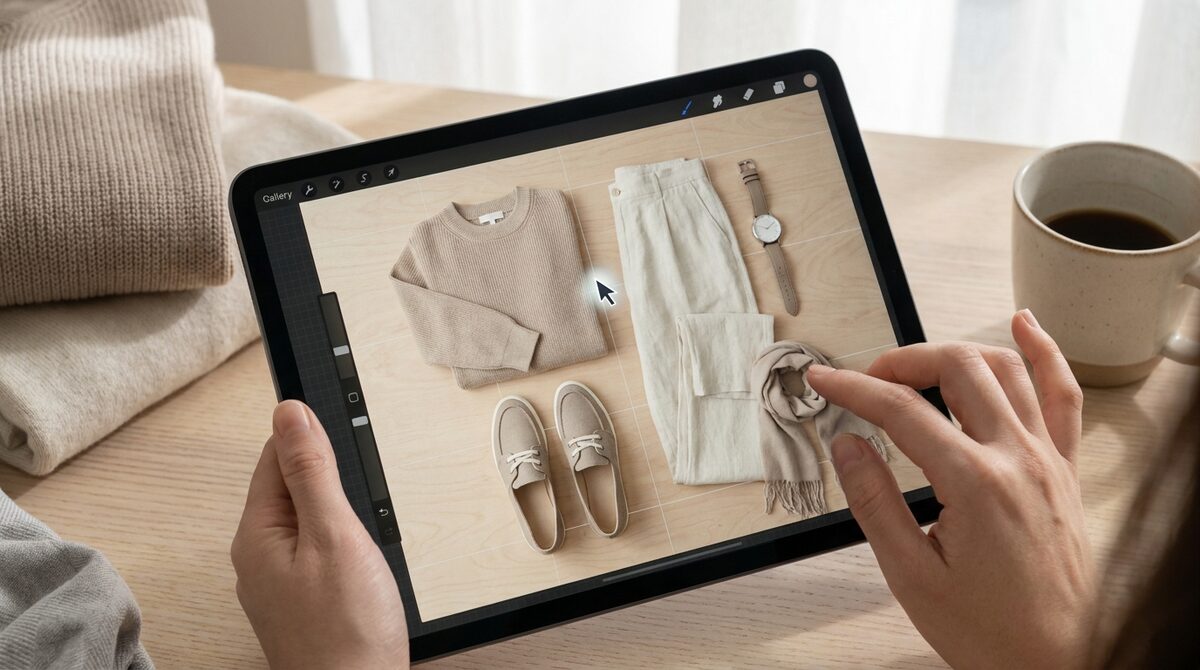
Some shoppers want to be told what to wear; others want to build it themselves. An outfit builder serves the second group by handing them the wardrobe, letting them assemble a look piece by piece and see it come together on their own body.
That sense of control drives investment. A shopper who has built a look is emotionally attached to it, and attachment converts. The builder turns passive browsing into active creation.
How an outfit builder works
An outfit builder lets the shopper pick and swap garments from your catalog, assembling a coordinated look. The retail-grade step is rendering that look on the shopper's own photo so they can judge it honestly.
1Match provides the try-on layer with strong image quality, working from existing product photos with no 3D and no reshoot, covering hands, face, and body so the whole look, accessories included, comes together. See how on-body rendering works.
What an outfit builder does for revenue
Builders drive complete-look purchases, raising units per order, while on-body preview lifts add-to-cart 18 to 28% and cuts returns 25 to 40%. The combination lifts revenue and protects margin. Our ROI analysis has the detail.
Every built look is also intent data. With native lead capture and funnel analytics, the shopper's choices become first-party insight, kept zero-storage and GDPR-safe, so you can see which combinations and sizes actually convert.
Outfit builder vs outfit generator: which to offer
A generator proposes looks automatically; a builder hands control to the shopper. They serve different mindsets. Some shoppers want inspiration handed to them, others want to create. The best stores offer both and let the shopper choose.
If you can only start with one, match it to your audience. Discovery-driven, browse-heavy stores lean toward generators. Enthusiast and considered-purchase audiences, where shoppers have strong preferences, tend to prefer a builder they can drive themselves.
Either way, the on-body render is the common denominator that converts. Whether the look is proposed or built, seeing it on your own body is what removes doubt. 1Match provides that try-on layer for both approaches, from your existing catalog, with native lead capture and funnel analytics attached.
Choosing an outfit builder for your store
Look for real catalog integration, on-body rendering, and safe data handling. 1Match covers all three with a fast, no-reshoot setup. To compare it against generators and full try-on suites, see our Shopify try-on roundup.
Offer the builder where shoppers naturally combine items, then measure the AOV lift. Because setup is quick, testing costs little and the upside is clear.
The order-value math behind an outfit builder
The clearest way to justify an outfit builder is the average order value math. If a builder nudges even a modest share of shoppers from a one-item purchase to a two- or three-item look, the effect on units per order, and revenue, is significant.
Layer the on-body try-on on top and the second effect appears: those larger baskets stick, because shoppers who saw the full look on themselves are far less likely to return it. You get bigger orders and lower returns at the same time.
1Match makes both effects measurable. Native lead capture and funnel analytics let you compare builder users against everyone else on order value and return rate, so the AOV case stops being a theory and becomes a number you can point to.
The bottom line on outfit builders
An outfit builder hands shoppers control, and control drives both engagement and average order value. Add on-body try-on and those larger, self-assembled baskets also return far less often.
Offer a builder alongside automatic suggestions, render every look on the shopper, and use the analytics to prove the AOV lift, and you turn a styling feature into a measurable revenue driver.
An outfit builder gives shoppers the wardrobe and lets them dress themselves. 1Match brings it all together as a Shopify growth engine: virtual try-on that renders looks on the shopper with strong image quality, plus native lead capture, funnel analytics, and zero-storage, GDPR-safe processing, all live in about 10 minutes with no 3D or reshoot. Try 1Match on the Shopify App Store and turn browsing into buying.
Frequently asked questions
What is an outfit builder?
An outfit builder is an interactive tool that lets a shopper assemble a complete look piece by piece, mixing tops, bottoms, and accessories. Store-grade builders like 1Match also render the finished look on the shopper own body.
How does an outfit builder differ from a generator?
A generator proposes looks automatically, while an outfit builder gives the shopper hands-on control to assemble them. Many stores offer both: automatic suggestions plus a builder for shoppers who want to customise.
Does an outfit builder raise average order value?
Typically yes. By encouraging shoppers to complete a look rather than buy one item, an outfit builder increases units per order. On-body try-on then converts those bigger baskets by removing fit doubt.
Is an outfit builder easy to run on Shopify?
With 1Match, yes. It works from your existing product photos with no 3D or reshoot and installs in about 10 minutes, so shoppers can start building looks from your live catalog quickly.
 Install on Shopify