
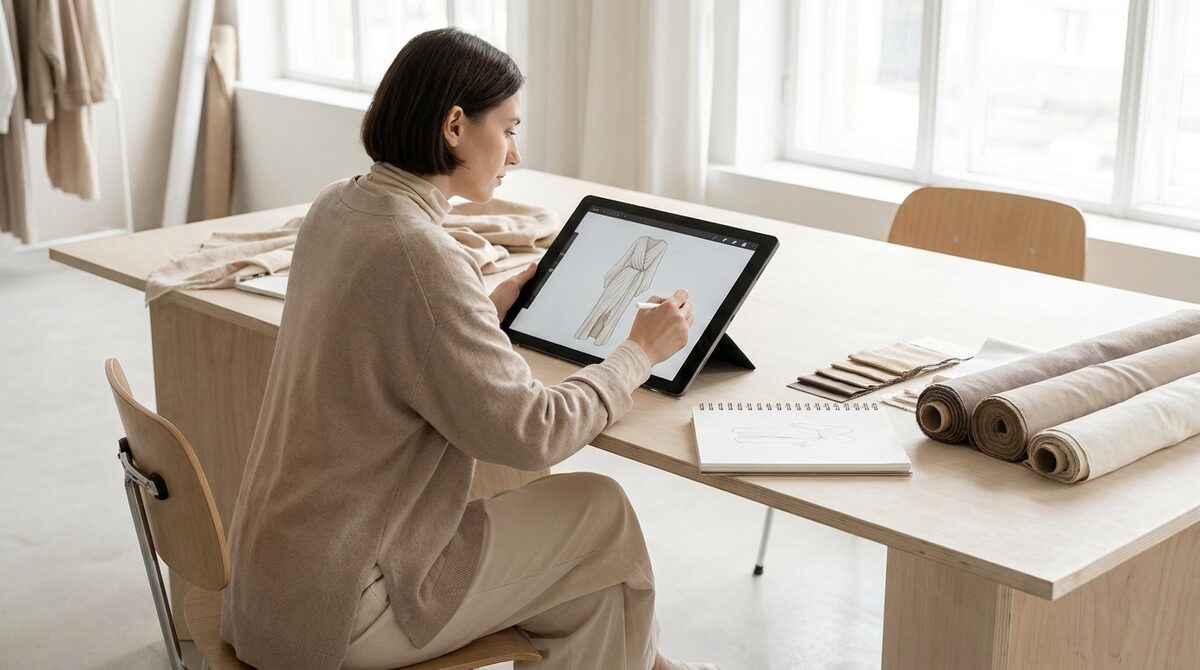
A clothing design app lets you build an entire collection — garments, prints, colorways and tech packs — before you cut a single yard of fabric. To turn those designs into revenue, 1Match adds virtual try-on that converts browsers by letting them see your pieces on their own body. It captures first-party leads as shoppers explore, powers funnel analytics, and keeps every photo zero-storage and GDPR-safe.
What a clothing design app is for
A clothing design app is the digital workshop where a garment goes from idea to a spec a factory can build. You choose a base block, apply fabric and prints, adjust construction details, and export a tech pack. For an indie label, the appeal is obvious: replace expensive iteration samples with digital revisions and keep your whole collection consistent. It is fashion-first tooling that removes the friction between imagination and production.
The best clothing design app options, ranked by need
The best clothing design app is the one matched to your stage. Here are the three lanes most brands travel.
1. All-in-one design suites
Pros: Cover sketch, spec and grading in one place; strong for scaling brands.
Cons: Subscription cost and a learning curve.
Verdict: Worth it once you produce more than a couple of drops a year.
2. Lightweight template editors
Pros: Cheap or free, quick to learn, ideal for print-on-demand and first collections.
Cons: Limited construction control; not built for complex tailoring.
Verdict: The right first step for a new label testing demand.
3. AI concept generators
Pros: Spin up dozens of colorways and prints instantly.
Cons: Output needs human refinement to be producible.
Verdict: Best as a brainstorming accelerator alongside a real design tool.
| Option | Cost | Best stage |
|---|---|---|
| All-in-one suite | $$$ | Scaling |
| Template editor | $ | Launch |
| AI generator | $-$$ | Ideation |
Design is only half the job
Here is the hard truth every clothing design app hides: a perfect digital garment still has to be sold to a real person who cannot feel the fabric. On a Shopify product page, doubt about fit is the number one reason a cart is abandoned or a parcel comes back. Roughly 70% of apparel returns trace to fit and size. Your design app cannot answer "will this look good on me?" — but virtual try-on can.
Connecting the design app to virtual try-on
1Match sits at the end of your workflow. Once a design is manufactured and photographed, shoppers upload a photo and see the garment on themselves — no 3D, no reshoot, straight from your existing product images, with strong image quality across hands, face and body. Brands that add try-on typically see returns drop 25–40% and add-to-cart climb 18–28%. For the full picture, read our virtual fitting room explainer and the complete virtual try-on guide.
What to look for before you commit
When you evaluate any clothing design app, weigh three things beyond the sketching tools: how cleanly it exports to your manufacturer, how much it reduces your sample count, and how well its output connects to the storefront where you actually sell. Plenty of brands buy a beautiful design suite and still lose margin because nothing links the finished garment to shopper confidence. The design app should be one node in a pipeline, not an island.
That is why fit-focused metrics matter as much as design features. If shoppers cannot judge how a piece sits on their body, even a flawless design gets returned. Pairing your design workflow with virtual try-on gives you the demand signal — try-on rate, add-to-cart, and return reduction — that tells you whether a design is genuinely working.
Setup that fits an indie schedule
You designed the collection on a laptop; you can add try-on in about ten minutes. 1Match installs on Shopify without a re-platform and works from the photos you already shot — no 3D, no reshoot, with strong image quality. Compare it against alternatives in our roundup of the best virtual try-on apps for Shopify.
Put simply, your clothing design app builds the product and 1Match builds the buying confidence — a two-part Shopify growth engine with native leads, funnel analytics and zero-storage, GDPR-safe try-on.
Frequently asked questions
What is the best clothing design app for beginners?
Template-driven and AI-assisted clothing design apps are the friendliest for beginners because they start from a base garment instead of a blank canvas. You edit color, print and trims rather than drawing from scratch. As your skills grow, you can graduate to a full tech-pack suite for production.
Can a clothing design app create tech packs for manufacturers?
Many can. Dedicated CAD and tech-pack apps export measurements, grading, bill of materials and construction notes in a format factories expect. This is the single biggest way a clothing design app saves money, because clear specs mean fewer wrong samples.
How does a clothing design app help my Shopify store sell more?
Indirectly, by producing better products faster and cheaper. The direct sales lift comes when you pair your designs with virtual try-on so shoppers can see the finished garment on their own body. That combination reduces returns and raises add-to-cart on your storefront.
Do clothing design apps replace physical samples entirely?
Not entirely, but they dramatically cut how many you need. You still order a final fit sample before a production run, yet the dozens of iteration samples that once burned cash are replaced by digital revisions. That is the core economic win for small brands.
 Install on Shopify