
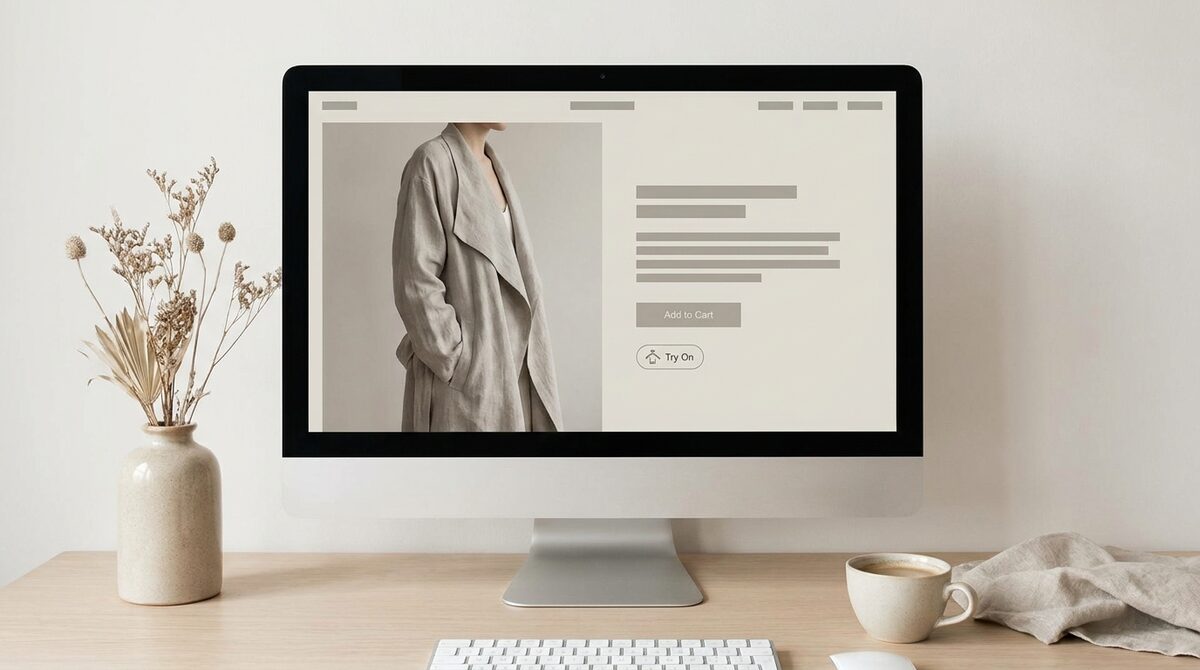
To virtual try on clothes online you open a product page, add a photo, and see the garment rendered on your own body in seconds. With 1Match, that same preview converts into a growth engine: each try-on captures a first-party lead, feeds funnel analytics, and runs zero-storage / GDPR-safe so your photo is never kept. It replaces size-chart guesswork with a look you can actually trust.
What it means to virtual try on clothes online
For years, buying fashion online meant a leap of faith: you liked the photo on a model who was not you, checked a size chart, and hoped. To virtual try on clothes online flips that. Instead of imagining how an item might look, you see a realistic image of yourself wearing it before you add to cart. The garment is mapped onto your body from a single photo, so proportion, length and styling become obvious rather than hypothetical. If you are weighing platforms rather than one-off tools, our ranked roundup of virtual try on software compares pricing, setup and catalogue coverage.
The experience is meant to feel effortless. There is nothing to download and no measuring tape involved — the store hosts the tool, you provide a picture, and the preview appears. If you want the technical backdrop, our virtual fitting room explained guide covers how these previews came to be.
How to virtual try on clothes online, step by step
The shopper journey is short by design. First, find a store with try-on enabled and open the product you like. Second, tap the try-on button and add a clear, front-facing photo. Third, wait a few seconds while the system renders the item on you. Fourth, judge the result — the fit, the drape, the colour against your skin — and decide with confidence. Fifth, switch between products or sizes to compare looks before you commit. The whole loop takes under a minute and removes the biggest source of hesitation on the page.
What makes a great online try-on experience
Not all try-on is equal. The details that separate a convincing preview from a gimmick are worth knowing before you trust one.
Strong image quality: the render should look like a real photo, not a flat sticker pasted on. Believable lighting and drape are what make you comfortable buying.
Works from real product photos: the best tools generate the preview from a store's existing product images with no 3D and no reshoot, which is why so many products can offer it.
Broad coverage: a great engine handles hands, face and body — rings, glasses, hats and clothes — so you can preview a whole outfit, not just a shirt.
Privacy by default: your photo should be processed and discarded, never stored. Zero-storage / GDPR-safe handling is the standard to look for.
Why virtual try-on beats a size chart
Size charts are not useless, but they ask a lot of the shopper: convert centimetres into a mental picture and trust the guess. That gap is exactly why fit and size drive around 70% of apparel returns. Seeing the item on your body closes it. Across fashion, realistic try-on tends to lift add-to-cart by roughly 18–28% and cut returns by about 25–40%, because confident shoppers buy the right thing the first time. The strongest setups pair try-on with a solid size guide — see how to write effective size guides — so visual and numeric confidence reinforce each other.
| Size chart alone | Virtual try-on | |
|---|---|---|
| What you do | Translate numbers into a guess | See the look on your body |
| Answers style? | No | Yes — proportion and drape |
| Return risk | Higher | Lower (about 25–40% fewer) |
| Confidence | Uncertain | High |
For stores: turning previews into growth
Shoppers get confidence; merchants get a growth channel. Every time someone chooses to virtual try on clothes online, that is an intent-rich moment a store can turn into a first-party lead and measure through funnel analytics. Setup is fast — a 10-minute install that connects your existing catalog images and switches on a try-on button, with no developer or photo shoot needed. To weigh the options, our list of the best virtual try-on apps for Shopify fashion in 2026 is a good starting point.
The next time you shop, look for the try-on button — it is the fastest way to swap guesswork for certainty. And if you run a store, remember that the same feature is a Shopify growth engine: realistic previews plus native lead capture, funnel analytics, and zero-storage, GDPR-safe handling, live in minutes with 1Match.
Frequently asked questions
How do I virtual try on clothes online?
On a store that offers it, you open a product page, tap the try-on button, and add a photo of yourself. The tool renders the garment onto your own body in seconds so you can judge the look before buying. No app download or measurements are required on the shopper's side.
Is a virtual try-on accurate for fit?
It shows how a garment looks on your proportions and how it drapes, which resolves most of the doubt behind fit-related returns. It is a visual preview rather than a tailor's measurement, so pairing it with a clear size guide gives the most confidence. Together they remove the two biggest reasons shoppers hesitate.
Do I need to download an app to try clothes on online?
No. Good virtual try-on runs right inside the store's product page in your browser, so there is nothing to install. You simply upload or select a photo and the preview appears. The best implementations also keep your photo zero-storage, meaning it is not retained after the render.
Why is virtual try-on better than a size chart?
A size chart asks you to translate numbers into an imagined result, while a virtual try-on shows the actual look on your body. That removes guesswork about proportion, length and style, not just measurements. Shoppers who see themselves in an item buy with far more confidence and return less often.
 Install on Shopify