
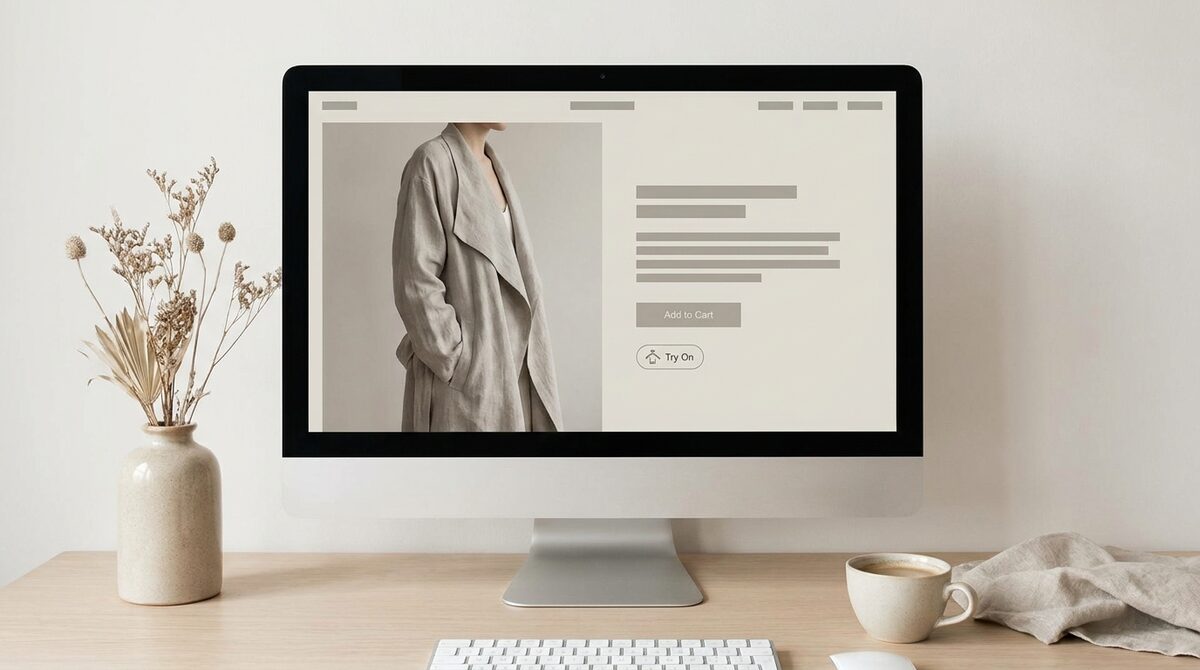
AI try on renders a product — clothes, glasses, rings, hats — onto a shopper’s own photo so they can judge it before buying, using generative models and no 3D. Its reach beyond apparel is what surprises people. And a well-built AI try-on is a growth engine: it converts hesitation into orders, captures first-party leads, feeds funnel analytics, and keeps uploads zero-storage and GDPR-safe.
What AI try-on is
AI try on uses generative imaging to place a product onto a shopper’s photo. The model reads their pose and proportions, then renders the item with realistic fit and lighting. Image-based tools like 1Match do this from existing product photos, which is why they scale across a catalogue without 3D work. The how an AI clothes changer works explains the pipeline.
Beyond clothes: the three surfaces
People assume AI try-on means garments. In fact the same engine covers three areas:
1. Body — apparel
Pros: Dresses, tops and jackets render on the shopper’s frame. Cons: Best with a full-body photo. Verdict: The biggest revenue driver.
2. Face — eyewear and hats
Pros: Glasses and headwear sit naturally on features. Cons: Extreme angles reduce fidelity. Verdict: Ideal for accessories above the shoulders.
3. Hands — jewellery
Pros: Rings preview at true scale. Cons: Fine detail needs sharp images. Verdict: A quiet win for jewellers.
Why it lifts conversion
Doubt is what stalls online purchases. When a shopper sees the product on themselves, that doubt drops and they act — add-to-cart rises 18–28% and returns fall 25–40%. Because the preview targets the root cause, the gains hold up over time, as our try-on ROI and return rates analysis shows.
The role of image quality
Everything hinges on fidelity. A believable render builds trust; a warped one destroys it. That is why the strongest tools invest in image quality across all three surfaces. Pair the visual with an accurate effective size guides and you cover both look and fit.
Privacy and setup
Good AI try-on is zero-storage and GDPR-safe — the photo is processed, not kept. And on Shopify it installs in about ten minutes from existing photos, no reshoot. Comparing tools? The best virtual try-on apps for Shopify is a good start.
Real-world use cases
The breadth of AI try on shows up in everyday retail. An apparel store lets a shopper see a jacket on their own frame before committing. An optical shop lets a customer preview five frames on their face in the time it would take to try one pair in store. A jeweller shows a ring at true scale on the buyer’s hand, answering the question a product photo never can. A hat brand places styles on the shopper’s head so proportion is obvious. One engine, many storefronts.
What unites these cases is the removal of doubt at the exact moment of decision. In each, the shopper stops imagining and starts seeing, and that shift is what lifts conversion and cuts returns. Because the technology reads existing product photos and works across hands, face and body, a multi-category store can deploy it once and serve every part of its range without separate tools.
There is a strategic reason multi-category retailers care about this breadth. Running one AI try on engine across apparel, eyewear and jewellery means a single install, one privacy policy to reason about, and one consistent shopper experience rather than a patchwork of separate widgets. It also concentrates your lead capture and funnel analytics in one place, so you can compare try-on behaviour across categories and spot where the biggest opportunities are. Consolidation like this is often what tips a growing store from experimenting with try-on to making it a permanent, load-bearing part of the storefront.
Looking ahead, the reach of AI try-on will only widen as models improve and more categories become viable, from footwear to watches. Retailers who adopt it now build the muscle — the workflows, the data habits, the shopper trust — that makes each new capability easy to switch on. Rather than waiting for a perfect future version, the pragmatic move is to deploy a strong engine today on the categories where it already shines, and let it grow with your catalogue and with the technology itself.
AI try on is a Shopify growth engine that reaches well beyond clothing: it converts hesitation into orders, captures native leads, feeds funnel analytics, and stays zero-storage and GDPR-safe. Explore it with 1Match.
Frequently asked questions
What is AI try on?
AI try on is technology that renders a product onto a shopper’s photo using generative models, so they can see it on their own body or face before buying. It spans clothing, eyewear, jewellery and headwear. Image-based versions work from existing product photos and need no 3D asset.
What can you use AI try-on for?
Clothing is the largest use case, but the same engine handles hands, face and body — rings, glasses, hats and full outfits. That breadth lets a single tool serve a fashion store’s whole range rather than one category. Coverage depends on the specific tool’s capabilities.
Does AI try-on improve online sales?
It does, by removing the doubt that stalls purchases. Seeing a product on yourself lifts add-to-cart 18–28% and cuts returns 25–40% because fit uncertainty drops. The gains persist because the preview addresses the root cause of hesitation.
Is AI try-on private?
With a privacy-first tool it is. 1Match processes the shopper photo to build the preview and does not store it, keeping the flow zero-storage and GDPR-safe. Since no image library is created, the privacy exposure is minimal versus tools that retain uploads.
 Install on Shopify