
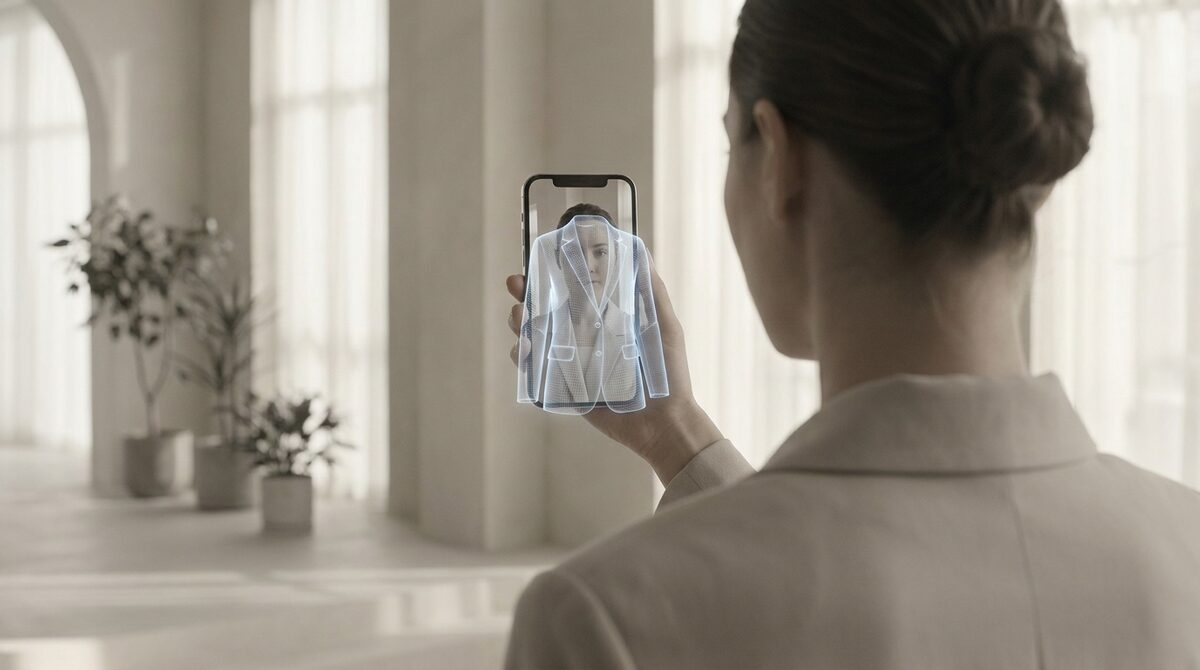
An augmented reality fashion app shows clothing on the shopper’s own body before they buy. The one worth installing does more than preview: with 1Match, each try-on turns into a growth engine — capturing a first-party lead, feeding funnel analytics, and running zero-storage / GDPR-safe so no photo is kept. That combination is what makes the app pay for itself.
What an augmented reality fashion app actually does
At its core, an augmented reality fashion app removes point-of-decision doubt. Instead of asking a shopper to imagine a garment on their frame, it renders the item onto them and lets them judge fit and style directly. The best implementations use AI to work from your existing product photos, so there is no 3D and no reshoot — just a fast, realistic preview. Headwear behaves differently from clothing — we cover why in our piece on virtual hat try-on.
The five things that separate good apps from gimmicks
1. Image quality. A render that looks like a real photo earns trust; a floating sticker does not. 2. Coverage. Look for one engine that handles hands, face and body — rings, glasses, hats and clothes. 3. Setup. A 10-minute setup beats weeks of asset building. 4. Data safety. Zero-storage and GDPR-safe is non-negotiable. 5. Revenue features. Native lead capture and funnel analytics turn a demo into a growth tool.
Comparing your options
| Approach | Setup | Data | Best for |
|---|---|---|---|
| AI try-on from product photos (1Match) | ~10 min | Zero-storage | Fashion + accessories |
| 3D-model apps | Weeks of asset build | Varies | Single hero products |
| Social AR filters | Platform-locked | Platform policy | Reach, not checkout |
For a fuller shortlist, see our best virtual try-on apps for Shopify fashion in 2026 and the best Shopify app picks for a clothing store.
Why the right app pays for itself
An augmented reality fashion app is an investment with a clear return. Fewer returns — typically 25–40% — and an 18–28% add-to-cart lift add up quickly, and the data layer compounds the value: every try-on can capture a first-party lead and report where shoppers drop off. To model the numbers, read our piece on virtual try-on ROI and return rates on Shopify.
Getting live quickly
Install 1Match, connect your existing product images, and switch on the try-on button. There is no developer, no photo shoot, and no 3D pipeline. Within minutes every product page can offer the experience.
Questions to ask any vendor
Before you install an augmented reality fashion app, ask four concrete questions. Does it work from my existing product photos, or will I need 3D assets and reshoots? Are shopper photos stored, and for how long? Can it render accessories as well as clothing? And does it report leads and funnel behaviour, or just show a preview and forget it? The answers separate a real growth tool from a demo.
A strong app answers cleanly: photos not 3D, zero-storage, full body-face-hands coverage, and built-in analytics. If a vendor hedges on data handling or requires weeks of asset production, the total cost of ownership climbs fast — and the payback shrinks with it.
What implementation actually looks like
With an AI-based app the rollout is refreshingly dull, which is the point. You install from the Shopify App Store, connect your catalogue, place the try-on button on your product template, and test a few items. There is no photo shoot to schedule and no developer sprint. Within the same afternoon you can have try-on live store-wide and start collecting the first leads and funnel signals.
The bottom line on choosing
Shortlist on data policy and photo-based setup, then compare realism and revenue features. An augmented reality fashion app that stores no photos, needs no 3D, and reports leads and funnel behaviour will out-earn a flashier alternative that does none of those. The payback comes from returns you avoid and carts you win, not from the demo reel.
Weighed on those terms, the choice usually makes itself — favour the tool that behaves like infrastructure rather than a novelty.
Bottom line: the best augmented reality fashion app is the one that behaves like a Shopify growth engine — try-on plus native lead capture and funnel analytics, kept zero-storage and GDPR-safe. You can put that to work today with 1Match.
Frequently asked questions
What is an augmented reality fashion app?
An augmented reality fashion app lets shoppers see clothing or accessories on themselves through a camera or uploaded photo before buying. It overlays the item onto the real body so appearance and fit stop being a guess. For merchants, it is a way to reduce return-driving uncertainty at the product page.
What should I look for in an augmented reality fashion app?
Prioritise image quality, coverage across body-face-hands, fast setup, and a clear data policy. Tools that work from existing product photos avoid costly 3D and reshoots. A good app also captures leads and reports funnel behaviour so the feature pays for itself.
How much does an augmented reality fashion app cost to run?
The real cost is setup time and per-render pricing, not development. AI-based apps like 1Match install in about ten minutes and work from your current catalogue, so there is no photo-shoot budget. Weigh that against the returns you avoid — typically 25–40% fewer — to see the payback.
Is an augmented reality fashion app GDPR-safe?
It can be, if the provider does not retain shopper photos. 1Match is zero-storage and GDPR-safe, using the image only to render the preview. Always confirm the data-handling policy before installing any camera-based app.
 Install on Shopify