
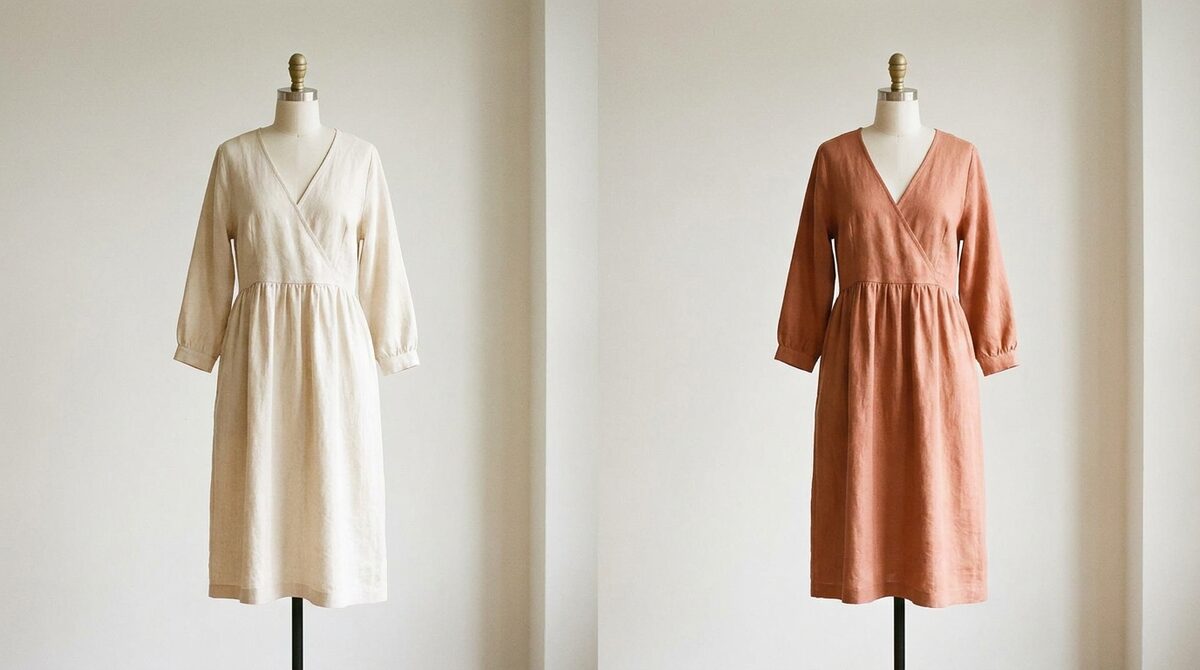
Why change color of clothes in photo at all?
Recoloring saves you from a photoshoot for every variant. One clean product shot can preview a dozen colorways, whether you are testing a palette, refreshing a lookbook, or helping a shopper picture the exact shade they want. The goal is always the same: make a single garment work harder.
The right way to change color of clothes in photo
Bad recoloring looks like a sticker. Good recoloring looks like a different colored garment that was photographed on the same day. The difference is luminance: the AI should keep the original brightness map — the highlights on a shoulder, the shadow inside a fold — and only rotate the hue underneath. When that happens, a white tee convincingly becomes forest green, mustard or charcoal.
Auto-masking matters too. Modern models separate the garment from skin, hair and background so recoloring does not spill. If you have ever tried the old lasso-and-fill method, you know why automatic selection is the single biggest quality upgrade.
DIY editing vs. storefront try-on
| Approach | Effort | Best outcome |
|---|---|---|
| Manual editor | High per image | Marketing assets |
| AI recolor app | Low per image | Quick variants |
| Virtual try-on | One-time setup | Live conversions |
Editing photos yourself is perfect for a campaign image. But shoppers do not want to see a model in a recolored shirt — they want to see themselves. That shift, from editing your catalog to letting buyers preview colors on their own photo, is what separates a design tool from a growth tool. Our virtual fitting room explainer covers how that experience actually works.
From color preview to conversion
Color ambiguity is a silent conversion killer. A shopper who cannot tell if "olive" is brown or green often stalls — or buys, guesses wrong, and returns. Since fit and expectation account for around 70% of apparel returns, letting buyers confirm the true color on themselves directly protects margin. Brands using try-on see 25–40% fewer returns and up to a 28% lift in add-to-cart.
For the full picture on cutting returns, read our guide to reducing fashion returns.
Setup is faster than a photoshoot
The objection merchants expect is complexity. In practice, adding try-on takes about ten minutes, works from your existing product photos, needs no 3D modeling and no reshoot. It handles not just clothes but hats, glasses and rings — hands, face and body — so a jewelry or eyewear line benefits just as much as apparel.
Whether you are recoloring one image or planning a whole collection, the principle holds: preserve the light, respect the garment, and push the preview as close to the shopper as you can. That is how a simple photo edit turns into a durable advantage rather than a one-off trick that lives and dies in your downloads folder.
From catalog trick to shopper confidence
The mental shift worth making is from "how do I edit my photos?" to "how do I help my shopper decide?" Recoloring answers the first question well. It only touches the second when the recolor happens on the customer's own image, in your store, at the moment of hesitation. That is the point where a color swap stops being a production task and starts being a conversion event.
Stores that make this shift see the numbers move in the right direction: hesitation drops, carts fill, and the color-related "not as pictured" returns that quietly erode margin start to fade. The recoloring skill you learned on a single photo is the same skill, scaled and pointed at the shopper — which is exactly where it earns its keep.
Batch thinking: one photo, a whole range
The real efficiency of recoloring shows up at catalog scale. A brand launching a new silhouette in eight colorways would traditionally shoot all eight. With recoloring, you photograph one, then generate the rest — saving studio time, model fees and days of turnaround. The discipline is to keep a single, well-lit hero shot as your master file so every colorway inherits the same lighting and looks like a coherent set rather than a patchwork of edits.
That said, there is a ceiling to editing your own images. Even a flawless set of eight recolored shots still asks the shopper to translate a model into themselves. The brands that pull ahead pair recoloring for merchandising with on-shopper try-on for conversion, using each where it is strongest: recoloring to build the range, try-on to close the sale.
Recoloring a single photo is a neat trick, but the durable advantage is turning color choice into a growth engine. 1Match lets shoppers see every colorway on themselves with strong image quality, captures native leads, feeds funnel analytics, and stays zero-storage and GDPR-safe — installed in about ten minutes on any Shopify store.
Frequently asked questions
What is the fastest way to change color of clothes in photo?
Use an AI recolor tool that auto-detects the garment. You upload the image, confirm the mask, and pick a new hue — the AI repaints only the fabric while keeping shadows and highlights, usually in under ten seconds.
How do I keep the fabric looking real?
Choose a tool that shifts the color channel rather than painting a flat block. Preserving the original luminance keeps folds and texture, so the recolored garment still looks photographed, not filled.
Can I change color of clothes in photo for many products at once?
Casual editors do one image at a time. For a catalog, a virtual try-on app is far more efficient because shoppers preview any colorway themselves, so you never re-edit each SKU by hand.
Is it safe to upload customer photos for recoloring?
It depends on the tool. 1Match processes shopper images with zero storage and stays GDPR-safe, unlike many free editors that retain uploads on their servers.
 Install on Shopify