
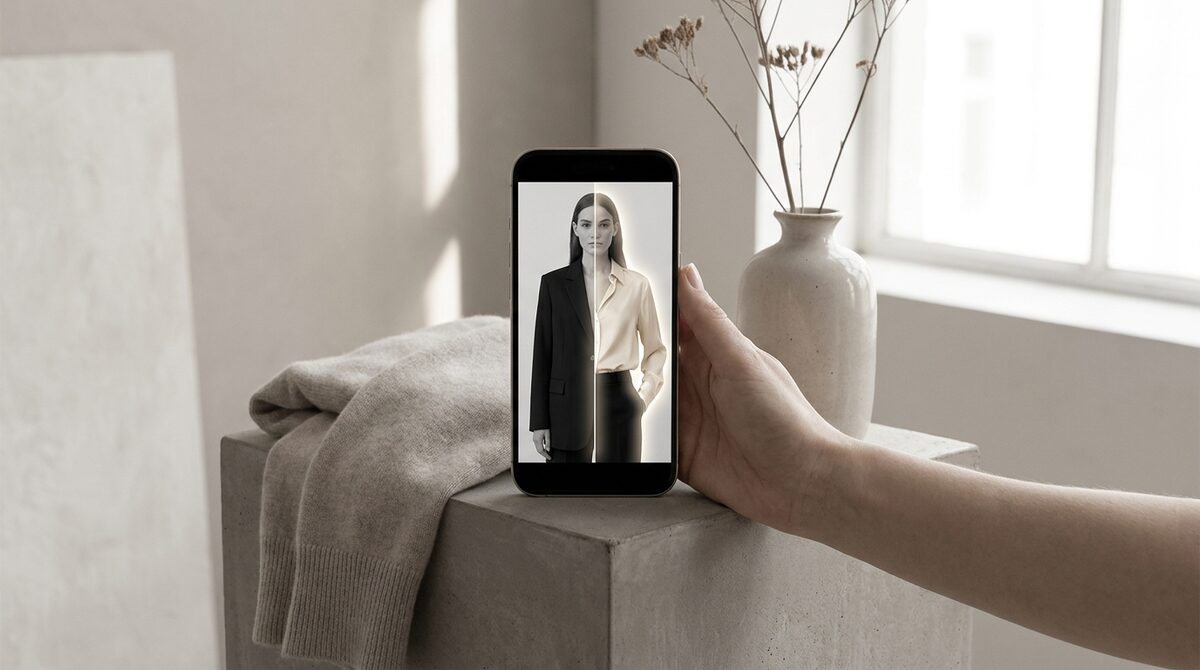
How to change outfit color in photo
The trick to change outfit color in photo is multi-region masking. Instead of treating the whole image as one garment, the AI separates the top, bottoms, jacket and accessories, so you can recolor each independently. Turn the blazer navy, the shirt white and the trousers stone in a single edit, and the outfit stays coherent because lighting is preserved across every piece.
Keeping a recolored outfit cohesive
Coordinated recoloring lives or dies on consistency. If one garment keeps its shadows and another goes flat, the outfit falls apart visually. Tools that preserve the original luminance across all regions keep everything looking photographed under the same light — the key to a believable head-to-toe recolor.
Outfit recoloring approaches
1. Multi-region AI recolor
Pros: Recolor a full look at once, realistic. Cons: Complex prints need care. Verdict: Best for coordinated previews.
2. Piece-by-piece manual editing
Pros: Total control. Cons: Slow across multiple garments. Verdict: For hero styling shots.
3. Virtual try-on outfits
Pros: Full look, any color, on the shopper. Cons: Merchant setup. Verdict: The conversion driver.
From styled photo to shopper's outfit
Recoloring an outfit on a model helps you merchandise combinations. But shoppers buy looks they can picture on themselves. Virtual try-on lets them assemble and recolor a coordinated outfit on their own photo, which is far more persuasive. Our complete try-on guide and best Shopify clothing apps guide show how stores use it.
Coordinated confidence, fewer returns
Outfit-level decisions carry outfit-level return risk. When shoppers preview a full coordinated look — right colors, right pieces — on themselves, they buy with confidence. Since fit and expectation drive roughly 70% of apparel returns, that confidence pays: 25–40% fewer returns and an 18–28% add-to-cart lift for try-on stores. Setup takes about ten minutes and works from existing product photos with no 3D.
Recolouring a whole outfit is a merchandising superpower, but its full value appears only when the shopper does the coordinating on themselves. A coordinated preview on the buyer's own body naturally leads to a coordinated purchase — more items, more confidence, and fewer of the mismatched-expectation returns that come from buying pieces in isolation. For the store, that means a bigger basket and a smaller returns pile from the very same preview interaction.
From coordinated concept to coordinated cart
Recolouring an outfit is only half the opportunity; the other half is letting the shopper act on it. When a buyer can recolour and assemble a full look on their own photo, the natural conclusion is to buy the look, not a piece of it. Outfit-level previews quietly nudge average order value upward because the shopper is evaluating a complete, coherent ensemble.
That coherence also reduces the mismatched-expectation returns that come from buying pieces in isolation and hoping they work together. Seeing the whole outfit — right colours, right proportions — on their own body gives shoppers a confidence no single-garment shot can. Coordinated try-on turns a styling idea into a coordinated cart.
Coordinating a palette across pieces
Recolouring a full outfit is really an exercise in colour theory. When you change several garments at once, the pieces have to relate — complementary, tonal, or deliberately contrasting — or the look falls apart. Multi-region recolouring lets you audition these combinations in seconds, which is a genuine merchandising superpower for building coordinated "shop the look" sets from a single photo.
The payoff multiplies when the shopper can do the coordinating on themselves. Outfit-level try-on lets a buyer assemble a top, bottom and layer in colours they choose and see the whole thing on their own body. That not only builds confidence in each piece but naturally encourages multi-item purchases, because the shopper is evaluating an outfit, not an item — and buying the outfit is the obvious conclusion.
Changing an outfit's colors in a photo is a powerful merchandising trick. On Shopify, the durable advantage is turning coordinated color previews into a growth engine. 1Match shows full outfits on real shoppers with strong image quality, captures native leads, feeds funnel analytics, and never stores a photo.
Frequently asked questions
How do I change outfit color in photo?
Use an AI recolor tool that can mask multiple garments. Select each piece — top, bottoms, jacket — and assign new colors. The AI recolors each region while keeping texture and lighting consistent across the outfit.
Can I recolor several garments in one outfit at once?
Yes, with tools that support multi-region masking. You can, for example, turn a top burgundy and trousers cream in the same edit, previewing a full coordinated look.
How do I keep a recolored outfit looking cohesive?
Preserve lighting across all pieces and choose colors that share a consistent tone. Tools that keep the original luminance map make coordinated recolors look naturally photographed.
Is outfit recoloring useful for online fashion stores?
Very. It lets shoppers preview coordinated color combinations, and on Shopify a virtual try-on shows those combinations on the shopper’s own body while capturing leads.
 Install on Shopify