
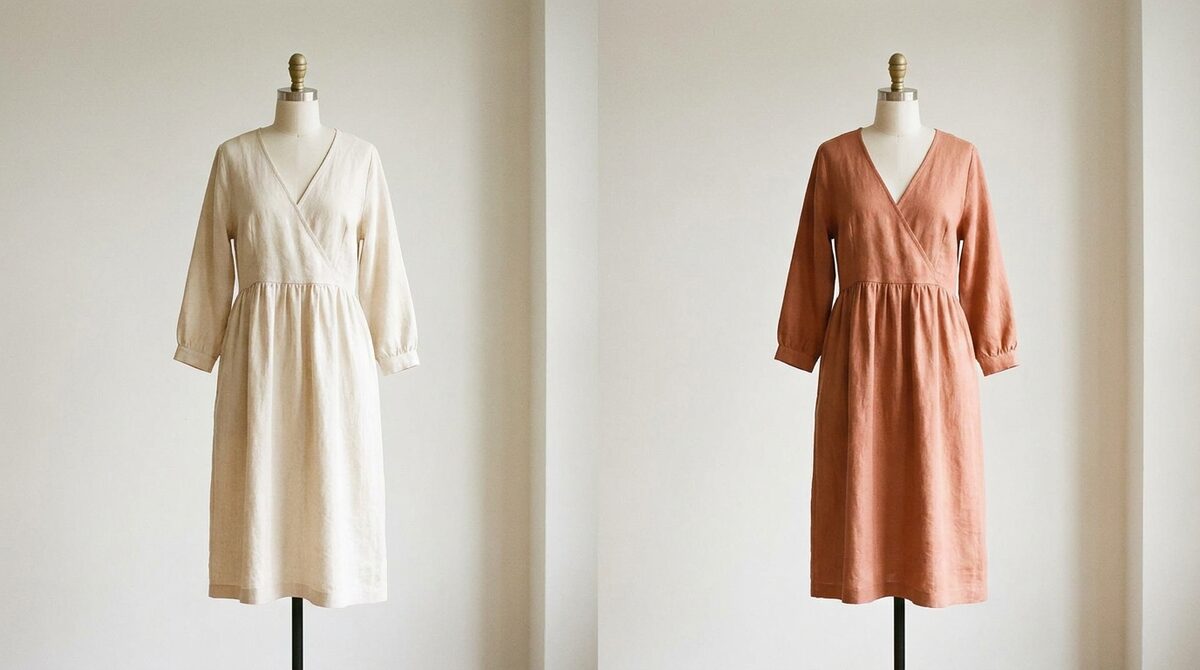
Steps to change clothes color in photo online free
To change clothes color in photo online free, pick a browser AI tool, upload a clear image, confirm the auto-detected garment mask, and choose your new color. The AI repaints only the fabric, keeping shadows and folds. Most free tiers let you do several images before hitting a cap.
Getting the most from a free tool
Free tools shine on solid colors and clean lighting. Give them a sharp, evenly lit photo and the results are hard to distinguish from a real shot. Busy patterns and low light are where free tiers struggle, so save those for a tool with manual touch-up controls.
Free recolor options compared
| Tool | Free limit | Best use |
|---|---|---|
| AI auto-recolor | Few images | Quick variants |
| Brush editor | Unlimited, manual | Patterns |
| Try-on trial | Trial period | Store testing |
Where free tools reach their ceiling
Free online recoloring is perfect for a personal project or a quick concept. But for a store, the value is not in editing images — it is in helping shoppers decide. That is why apparel brands move to virtual try-on, where the shopper recolors garments on their own photo. Our virtual fitting room explainer and best Shopify try-on apps cover the step up.
Recoloring that pays for itself
Color surprises are a top return trigger, and fit-and-expectation issues cause roughly 70% of apparel returns. When shoppers confirm the real color on themselves, that surprise vanishes. Stores using try-on report 25–40% fewer returns and an 18–28% add-to-cart lift — the kind of ROI a free editor can never produce because it never reaches the buyer. See our returns guide for the full breakdown.
Fast setup, real privacy
A store-grade try-on installs in about ten minutes, works from existing product photos with no 3D and no reshoot, and covers hands, face and body — rings, glasses, hats and clothes. Crucially, shopper photos are processed with zero storage and stay GDPR-safe.
Free, fast and realistic is a great combination for a personal edit, and there is no shame in stopping there. But if recoloring is part of selling, remember the one thing free tools cannot do: reach the shopper. Move the preview onto the customer and the same edit starts protecting margin and building your funnel.
Free tool, real limits, clear next step
It is worth being clear-eyed about what a free recolor can and cannot do for a business. It can produce a convincing single image at capped quality. It cannot follow the shopper, cannot cut your returns, and cannot tell you which colours pull attention. Those are not flaws — they are simply outside what a free editor is built for.
The clean next step, once recoloring becomes part of selling, is to move it onto the shopper. A try-on recolors on the customer's own photo, aligning their expectation with reality, and does it while capturing a lead and logging funnel data. Same core skill, pointed at the shopper instead of the file, with measurable results attached.
Getting the best free result
Free tools reward good inputs. Shoot or choose a photo with even lighting, a plain-ish background, and the garment clearly visible — no arms crossed over the chest, no heavy shadows. Solid colours recolour more cleanly than busy prints. If your first result looks slightly plastic, dial the target colour a shade softer; over-vivid choices are the most common reason a free recolour looks edited.
Understand the free-tier trade: you are usually paying with resolution, a watermark, or a monthly quota. For personal projects that is a fair deal. For a store, the missing piece is not quality alone but reach — the edit never touches the shopper's decision. A try-on that recolours on the customer's own photo closes that gap, and it does so while capturing a lead and feeding your funnel data, which a free editor simply cannot.
Changing clothes color in a photo online free is a handy skill. On Shopify, the durable advantage is turning color previews into a growth engine. 1Match lets shoppers recolor on themselves with strong image quality, captures native leads, feeds funnel analytics, and never stores a photo.
Frequently asked questions
Can I change clothes color in photo online free?
Yes. AI browser tools let you change clothes color in photo online free for a limited number of images or at capped resolution. They auto-detect the garment and swap its hue while keeping texture.
What makes a free recolor look realistic?
Preserving the original lighting. A good free tool keeps highlights and shadows and only shifts the hue, so the garment looks photographed rather than painted. Flat fills give it away as edited.
Are there limits on free online recolor tools?
Usually watermarks, resolution caps, or a monthly image limit. That is fine for personal use or quick tests, but stores typically need higher quality and scale.
How is a Shopify try-on different from a free recolor tool?
A free tool edits your image; a Shopify try-on lets shoppers recolor garments on their own photo, which reduces returns and captures leads. It is a sales tool, not just an editor.
 Install on Shopify