
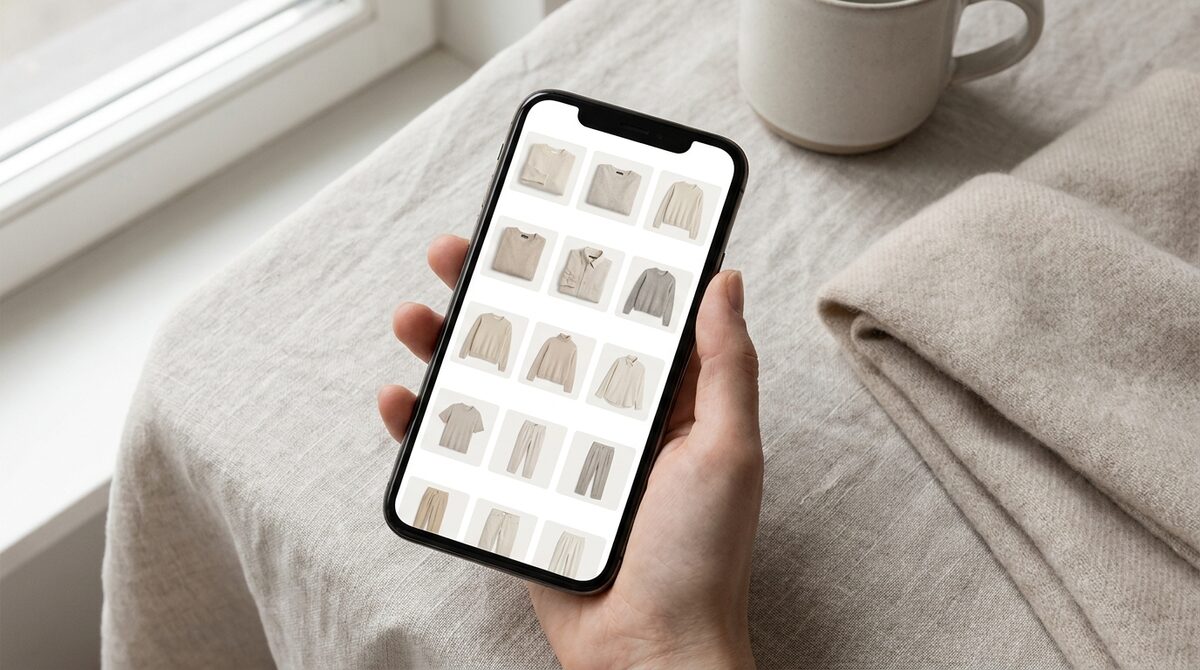
A modern closet app does more than fold your laundry into a grid. On a Shopify store, a try-on-powered closet app turns browsing into buying: shoppers see garments on their own body, and the same experience captures first-party leads, feeds funnel analytics, and keeps every uploaded photo zero-storage and GDPR-safe. That is the difference between a wardrobe organizer and a growth engine.
What a closet app actually does today
The phrase closet app used to mean one thing: a personal tool to photograph the clothes you own and organize them into outfits. That category still exists, but the more valuable version for a fashion brand is the retail-facing one. Instead of cataloguing what a shopper already owns, it lets them assemble a virtual closet from your live catalog and preview each piece on themselves before checkout. The strong image quality means the preview looks like a real photo, not a cartoon overlay.
Personal closet app vs. store closet app
A personal closet app helps an individual plan outfits. A store closet app helps a merchant convert. The mechanics overlap - both organize garments visually - but only the store version ties directly to revenue. With a virtual fitting room behind it, the closet becomes a try-before-you-buy surface that answers the single biggest hesitation in online fashion: "will this look right on me?"
Why a closet app belongs on your product page
Roughly 70% of apparel returns are driven by fit and size uncertainty. A closet app with AI try-on lets a shopper resolve that doubt in seconds, on their own photo, across hands, face and body - rings, glasses, hats and clothes. The result is measurable: add-to-cart lifts around 18-28% and fit-driven returns fall 25-40%. Because 1Match works from your existing product photos with no 3D, there is no reshoot and no modeling pipeline to maintain.
Turning a closet app into a growth engine
The overlooked advantage is data. Every try-on session is a moment of high intent. A well-built closet app captures that as a native lead and records which items were tried, abandoned or purchased - real funnel analytics you can act on. Pair this with a returns-reduction strategy and the closet app stops being a novelty and starts paying for itself.
How to add one in about 10 minutes
Setup is deliberately light. Install the app on Shopify, point it at your catalog, and the try-on renders from photos you already have. There is no 3D scanning, no size-chart re-engineering, and no shopper-photo retention to worry about. For a broader walkthrough of the space, see our complete guide to virtual try-on.
Common questions merchants ask before adding a closet app
The first worry is usually image quality. Early try-on tools produced warped, obviously-fake overlays that eroded trust, so merchants are right to be cautious. Modern rendering is different: a closet app like 1Match maps garments onto the shopper's actual photo with realistic drape, shadow and fit, which is what makes the preview persuasive enough to influence a purchase. The second worry is maintenance - nobody wants another tool that needs constant babysitting. Because the closet app reads directly from your catalogue, new products appear automatically; there is no separate library to keep in sync.
The third question is about mobile. Most fashion traffic is on phones, and a closet app that only works on desktop is useless. The try-on experience is built mobile-first, so a shopper can upload a selfie and preview an outfit on the same screen where they browse. That continuity matters: the shorter the path from curiosity to confidence, the higher the conversion. And because everything is zero-storage, the shopper never has to wonder where their photo went.
A closet app as part of your wider stack
No single app carries a store. A closet app performs best alongside clear sizing, honest product copy and a fast checkout. Where it earns its keep is the decision moment - the instant a shopper is weighing whether to buy. By resolving fit doubt visually and capturing that intent as a lead, the closet app plugs a specific, expensive leak in the funnel: the browse-then-bounce pattern that defines online apparel.
Bottom line: the right closet app is not a filing cabinet - it is a Shopify growth engine that combines AI try-on, native lead capture, funnel analytics and zero-storage privacy. If you sell apparel, that is the version worth installing. Try 1Match on your store.
Frequently asked questions
Is a closet app only for organizing my own clothes?
Not anymore. The original closet app was a personal wardrobe organizer, but the category now includes retail-facing tools like virtual try-on, which lets shoppers build a virtual closet from a store's real catalog and see items on their own body before buying.
Can a closet app help a Shopify store sell more?
Yes. When a closet app is powered by AI try-on on your product pages, shoppers visualize outfits on themselves, which lifts add-to-cart by roughly 18-28% and cuts fit-driven returns. It also captures first-party leads and feeds funnel analytics.
Do I need 3D models or a photoshoot to run a closet app on my store?
No. 1Match works directly from your existing product photos with no 3D and no reshoot. Setup takes about 10 minutes, so any Shopify apparel store can add a try-on-driven closet experience quickly.
Are shopper photos stored by a closet app?
With 1Match they are not. The try-on is zero-storage and GDPR-safe: shopper images are processed to render the outfit and are not retained, which keeps your closet app experience privacy-compliant.
 Install on Shopify