
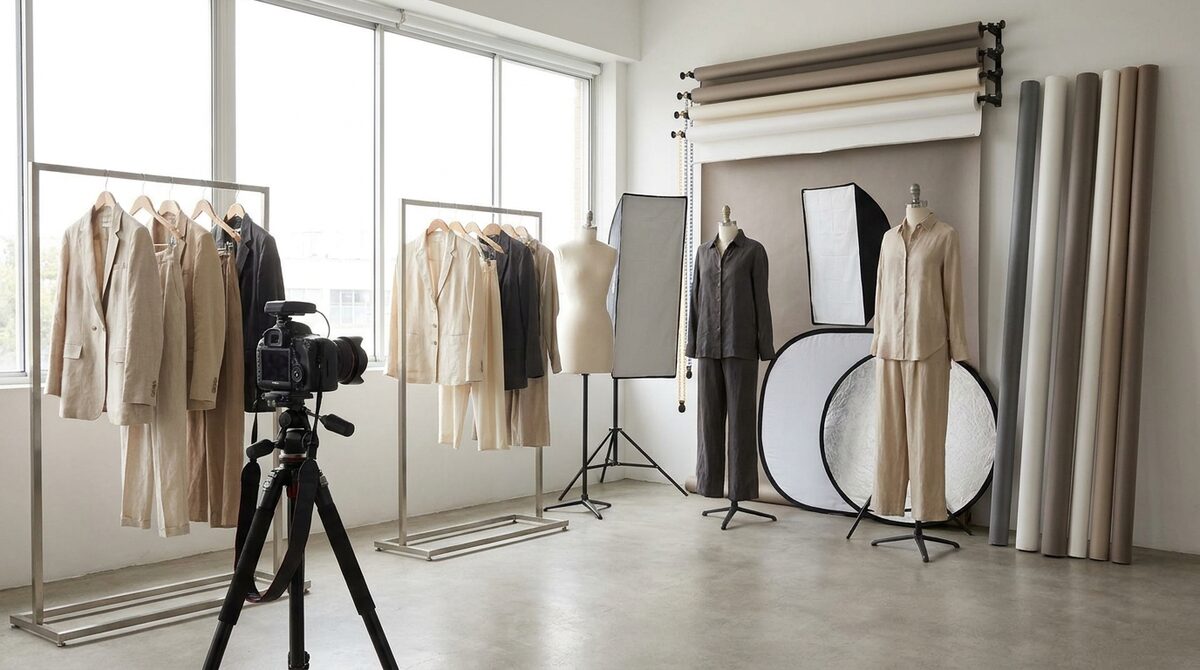
Product photography software spans background and editing tools, AI on-model generators, and virtual try-on apps. For a fashion store the category that converts is the last one: a Shopify try-on app like 1Match that renders garments on the shopper's own body — a growth engine that lifts add-to-cart, captures first-party leads, powers funnel analytics, and keeps every photo zero-storage and GDPR-safe.
What product photography software really covers
"Software" here is a broad tent. It runs from Photoshop-style editors to one-click background removers to AI systems that generate on-model imagery. For an apparel store choosing tools, the useful question isn't "which is most powerful" but "which moves my numbers": color accuracy, catalog consistency, and the ability to show clothes worn. For a side-by-side view of the platforms merchants actually keep installed, see our virtual try on software comparison.
The main categories, compared
1. Background and cleanup tools
Pros: fast, cheap, great for standardizing catalog backgrounds and removing clutter.
Cons: purely cosmetic — they don't show fit or drape.
Verdict: a baseline every store needs, but not a conversion lever on their own.
2. Full editors (Photoshop, Affinity, etc.)
Pros: total control, best for hero campaign polish and tricky retouching.
Cons: slow and skill-dependent; hard to hold consistency across hundreds of SKUs.
Verdict: keep for hero shots, automate the rest.
3. AI on-model generators
Pros: place garments on generated models from a flat photo, no shoot required.
Cons: the model is still generic, not the actual shopper.
Verdict: strong for catalog breadth and ad creative.
4. Virtual try-on apps (1Match)
Pros: render garments on the shopper's own body, works from existing product photos, no 3D, 10-minute Shopify setup, covers hands, face and body.
Cons: apparel and accessory focused rather than a general photo editor.
Verdict: the category that directly lifts conversion and cuts returns.
A quick comparison
| Type | Best for | Shows fit on shopper | Setup |
|---|---|---|---|
| Background tools | Clean catalog | No | Instant |
| Full editors | Hero polish | No | Manual |
| AI on-model | Catalog scale | No | Minutes |
| Try-on app | Conversion | Yes | ~10 min |
How to choose for a Shopify fashion store
Most stores end up with a stack, not a single tool: a background/cleanup tool for consistency, an editor for hero shots, and a try-on app for conversion. If you're weighing Shopify apps specifically, our roundup of the best virtual try-on apps for Shopify fashion in 2026 compares the try-on layer in detail, and the best Shopify app for clothing stores in 2026 looks at the wider toolkit.
Why the try-on layer earns its place
Editing software makes images tidy; it doesn't answer "how does this look on me?" That question drives the roughly 70% of apparel returns that are fit or size related. Stores adding try-on typically see 25–40% fewer returns and an 18–28% add-to-cart lift. That's why, of all product photography software, the try-on layer is the one with a direct line to revenue — see the ROI breakdown.
Start small, prove it, scale
Pick your top sellers, clean their imagery with whatever editor you like, then add try-on to those exact products and watch the funnel. With a 10-minute setup, no 3D, and no reshoot, the test is cheap. That's how a pile of product photography software becomes a single Shopify growth engine: real-body previews, native lead capture, funnel analytics, and zero-storage, GDPR-safe photos. Add the try-on layer with 1Match.
Frequently asked questions
What does product photography software do?
It handles the digital side of product imagery: background removal or replacement, color correction, batch editing, and increasingly AI on-model generation. The best tools for ecommerce focus on speed and consistency at catalog scale rather than one-off artistic edits.
What should a fashion store look for in product photography software?
Prioritize color accuracy, batch consistency, and a workflow that works from existing product photos without a reshoot. For apparel specifically, look for AI on-model or try-on capability, since showing garments worn is what actually moves conversion and returns.
Is separate try-on software better than an all-in-one editor?
For pure image cleanup, a general editor is fine. But apparel's biggest lever is letting shoppers see garments on themselves, which a dedicated try-on app like 1Match handles natively on Shopify. Many stores use a general editor plus a try-on app together.
Do I need expensive software to start?
No. Many strong tools are affordable or usage-based, and a Shopify try-on app installs in about 10 minutes with no 3D or reshoot. Start with your top sellers, measure the lift in add-to-cart and returns, then scale the tooling that pays for itself.
 Install on Shopify