
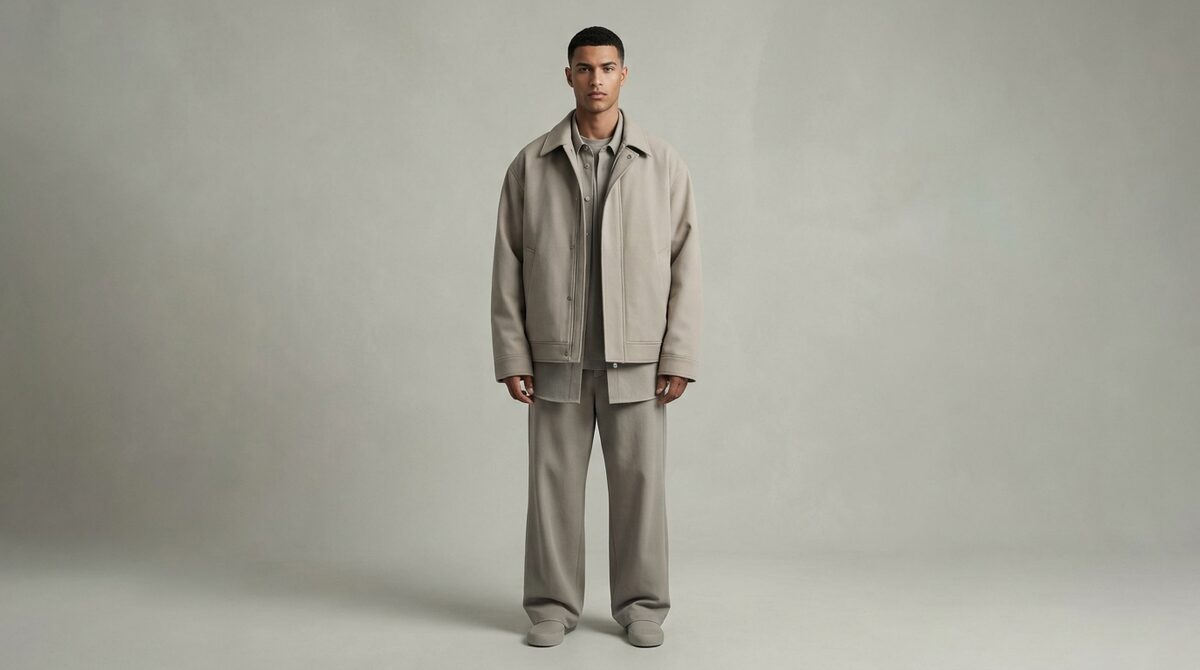
An AI clothing model generator dresses synthetic models in your products automatically from existing photos, no camera required. 1Match drives the conversion side: a virtual try-on that shows garments on the shopper's own body, captures first-party leads, feeds funnel analytics, and keeps every upload zero-storage and GDPR-safe.
How an AI clothing model generator works
An ai clothing model generator automates the most repetitive part of fashion ecommerce: getting product onto a body. You feed it a flat lay, mannequin or ghost image, and it synthesizes a photorealistic model wearing the item, with control over pose, build and setting. Everything is derived from your existing product photos, so there is no 3D scanning and no reshoot.
The engine segments the garment, learns its texture and shape, and re-projects it onto a generated figure. When the tool has strong image quality, drape and print stay faithful; when it does not, you see warped text and smeared patterns. We unpack the same garment-mapping idea in how an AI clothes changer works.
Why stores adopt it
The obvious wins are cost and speed: no studio, no crew, no scheduling. The subtler win is consistency, a uniform look across hundreds of SKUs, plus the ability to show one item on multiple body types without extra shoots. For fast-moving catalogs, that means new products go live the day they arrive.
The gap a generated model cannot close
A generated model still is not your customer. Apparel returns are overwhelmingly about fit and size, so imagery that shows the garment on an idealized stranger leaves the crucial question, how will it look on me, unanswered. This is the ceiling on how much catalog imagery alone can move conversion.
That gap is exactly what a virtual fitting room fills by rendering the item on the shopper's own body, including hands, face and accessories.
Best AI clothing model generators
1. Botika
Pros: Simple workflow, good background variety, quick turnaround.
Cons: Detail artifacts on busy prints.
Verdict: Great entry point for small catalogs.
2. FASHN
Pros: High garment fidelity and a robust API for scale.
Cons: Setup leans technical.
Verdict: Best for volume operations with dev support.
3. 1Match
Pros: Live on-body try-on for real shoppers, 10-minute setup, native lead capture, funnel analytics, zero-storage GDPR-safe photos.
Cons: Focused on storefront conversion rather than lookbook art direction.
Verdict: The pick when conversion and returns matter more than catalog styling.
| Capability | Clothing model generator | Virtual try-on (1Match) |
|---|---|---|
| Who wears the garment | Synthetic model | The actual shopper |
| Main job | Catalog imagery | Fit confidence + conversion |
| Captures leads | No | Yes |
A simple workflow that scales
The repeatable pattern is: clean input, batch upload, two or three pose variants per SKU, quick artifact review, publish. Because the generator works from images you already have, there is no new asset to create, only frames to approve. Teams that standardize this get entire collections on-model in a day and refresh them the moment inventory changes.
Set guardrails so imagery stays on-brand: a defined model range, a fixed background palette, and consistent framing. Then plan the hand-off to try-on from day one, because the generator answers what does this look like on a model while the shopper still needs to know what does this look like on me.
Where a clothing model generator fits your stack
Think of the generator as your catalog layer and try-on as your conversion layer. The generator ensures every product page has a clean, professional on-model image without a shoot. Try-on ensures the shopper can validate that image against their own body before buying. Neither replaces the other, and stores that run both consistently outperform stores that stop at imagery.
Because both work from the same existing product photos, adding the conversion layer does not mean new production work. You are reusing assets you already generated, which keeps operational cost flat while adding a measurable lift to add-to-cart and a measurable drop in returns. That reuse is what makes the combined approach so efficient for lean teams.
From imagery to a Shopify growth engine
Use an ai clothing model generator to stock your catalog quickly, then let 1Match convert the traffic that imagery attracts. As a virtual try-on Shopify app, it shows each garment on the shopper's own body from your existing photos, captures first-party leads, drives funnel analytics, and keeps every photo zero-storage and GDPR-safe. Fashion-first, no reshoot, live in about ten minutes, it converts browsers into buyers, lifting add-to-cart 18-28% and cutting returns 25-40%. Install 1Match to turn generated imagery into a real growth engine.
Frequently asked questions
What is an AI clothing model generator?
It is a tool that takes your clothing photo and renders it on a generated human model, replacing a physical photoshoot. It handles the pose, body, lighting and background so a flat product image becomes on-model catalog imagery in minutes.
Does it keep my garment's details accurate?
Quality tools preserve fabric texture, print placement, seams and color. Cheaper ones can warp logos and stretch patterns, so review outputs and keep your original photo as the color reference before publishing.
Can it replace product photographers entirely?
For standard catalog shots, largely yes, especially for basics and repeat SKUs. For campaign hero imagery and complex styling, many brands still mix AI with occasional real shoots and add a try-on for fit confidence.
How does it compare to virtual try-on?
A clothing model generator dresses a synthetic model for your catalog; virtual try-on dresses the actual shopper on their own body. They solve different problems, catalog polish versus personal fit, and work best together.
 Install on Shopify