
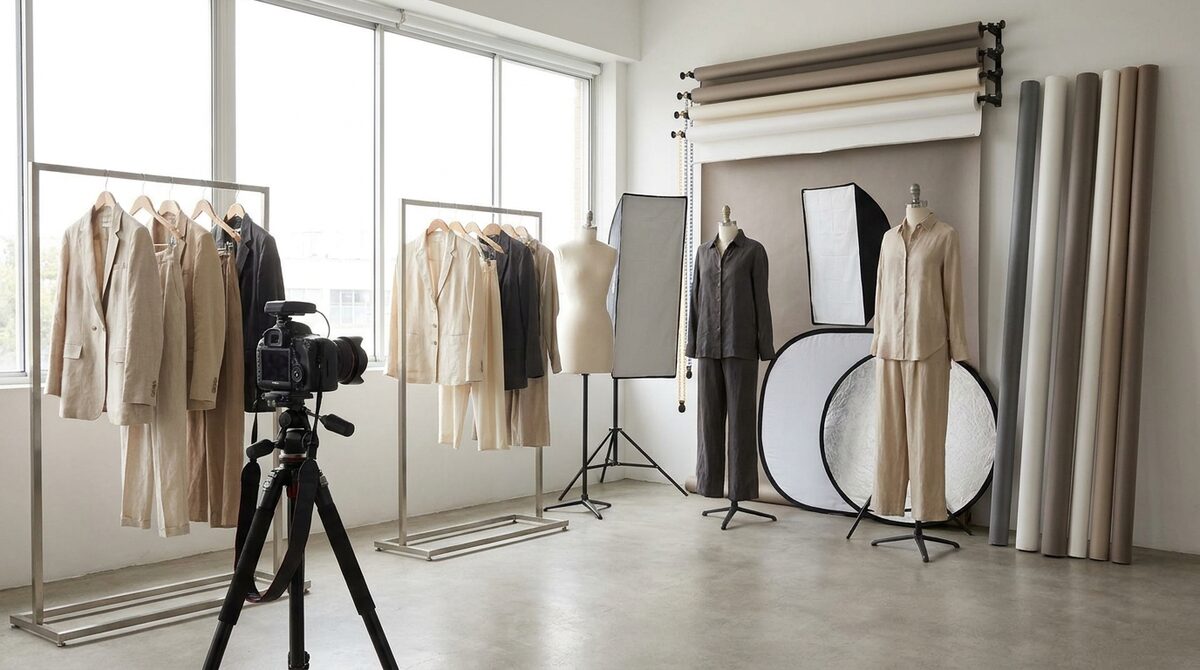
Product photography editing is the post-shoot work — background cleanup, color correction, cropping, retouching — that turns raw frames into consistent, trustworthy listing images. Done right it removes friction; done truthfully it prevents returns. And when your edited images feed a virtual try-on app like 1Match, editing stops being a cost center and powers a growth engine: shoppers see garments on their own body, you capture first-party leads, funnel analytics show what converts, and every photo stays zero-storage and GDPR-safe.
Why product photography editing matters more than the shoot
A great capture with sloppy editing still looks amateur, while an average capture with disciplined editing can look premium. On a Shopify listing, shoppers scan thumbnails in under a second. Inconsistent backgrounds, mismatched color temperature, and ragged crops read as "low trust" before anyone reads a word. Product photography editing is where trust is manufactured.
The goal is not to make garments look like something they aren't. It is to make them look like the best true version of themselves — accurate color, clean context, consistent framing across the catalog.
The core editing checklist for fashion
Every apparel image should pass the same edit pipeline so the catalog feels like one brand:
1. Background: remove clutter, standardize to a clean neutral or on-brand color.
2. Color accuracy: match the on-screen color to the real garment — the single biggest driver of color-based returns.
3. Exposure and white balance: consistent lighting so navy doesn't read as black on one shot and blue on another.
4. Retouch: remove dust, stray threads, and wrinkles that aren't part of the design.
5. Crop and framing: one aspect ratio, one subject placement, across all SKUs.
Manual editing vs AI editing
| Task | Manual retoucher | AI editing |
|---|---|---|
| Background removal | Minutes per image | Seconds, batch |
| Color correction | Skilled, slow | Fast, needs review |
| Consistency at scale | Hard to hold | Built in |
| Hero campaign polish | Best in class | Draft, then refine |
The winning pattern for most stores is hybrid: AI handles the volume, a human approves the exceptions.
The honest-editing rule
Here is the trap. Editing that flatters the garment beyond reality — boosting saturation, slimming the fit, hiding texture — lifts clicks but wrecks returns. Around 70% of apparel returns are fit or size related, and misleading edits make that worse. Keep editing corrective, not deceptive. If you want the deeper playbook, our guide to reducing returns in an online fashion store covers the imagery-to-fit connection.
Where editing meets try-on
Edited images are static. The moment shoppers can place that same garment on their own photo, the image becomes a decision tool instead of a poster. That is the jump from product photography editing to virtual try-on. Because 1Match works from your existing product photos with no 3D and no reshoot, your edit pipeline feeds it directly — and it covers hands, face and body, so rings, glasses, hats and clothes all render on the real shopper. See the virtual fitting room explained for how the experience feels to a buyer.
A fast, low-risk rollout
Standardize the edit pipeline on your top sellers, then add try-on to those same products so you can measure the lift cleanly. Setup takes about 10 minutes, with no modeling and no reshoot, and stores typically see 18–28% higher add-to-cart and 25–40% fewer apparel returns once shoppers can confirm fit on themselves.
Product photography editing gets your images trustworthy; a try-on layer turns that trust into a Shopify growth engine — real-body previews, native lead capture, funnel analytics, and zero-storage, GDPR-safe photos. You can wire it up today with 1Match.
Frequently asked questions
What does product photography editing involve?
It covers everything after the shutter: background cleanup, color correction, exposure and white balance, retouching stray threads or dust, and cropping to a consistent frame. For ecommerce, the goal is accuracy and consistency across the whole catalog, not heavy stylization that misleads the shopper.
Can AI do product photography editing automatically?
Yes, for most routine tasks. AI tools handle background removal, color matching, and batch cropping in seconds, which used to take a retoucher hours. You still want a human check on tricky fabrics and brand-critical hero shots before publishing.
How much editing is too much for fashion photos?
Editing that changes how the garment actually looks — recoloring fabric, slimming fit, hiding texture — backfires because it drives returns when the real item arrives. The safe rule is: correct, don't deceive. Keep color and fit truthful and let try-on handle the personalized preview.
Does editing reduce returns?
Accurate editing helps, but the bigger lever is letting shoppers see the item on themselves. Truthful color and fit reduce surprise, and pairing edited images with a virtual try-on tool like 1Match lets buyers confirm fit before purchase, which is where the real returns reduction comes from.
 Install on Shopify