
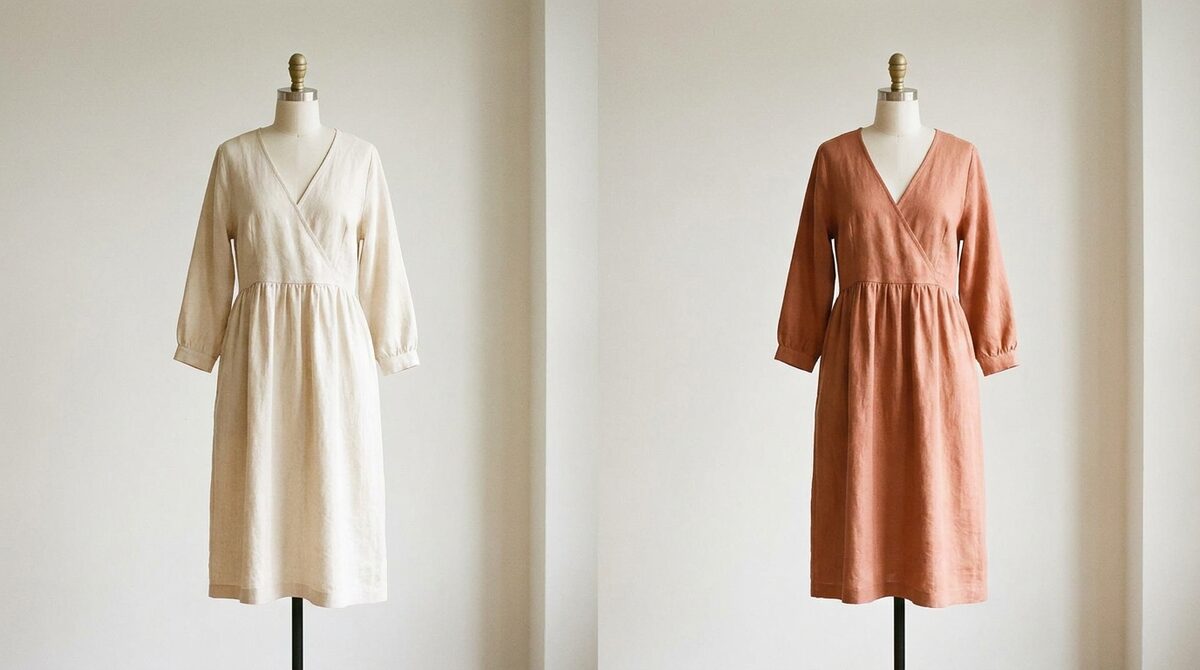
How a dress in photo comes together
Placing a dress in photo is a two-part AI job: understand the person's body and pose, then map the dress onto it so the drape, folds and hem fall naturally. Good tools also match lighting, so the dress does not look pasted on. Add recoloring and a single photo can preview a dress in several shades.
What makes a dress-in-photo look real
Realism comes down to body awareness and light. The AI has to respect the shopper's frame — shoulders, waist, height — so the dress fits their proportions, not a generic mannequin. It also has to preserve the photo's lighting so shadows fall correctly. When both are right, the dress in photo is hard to distinguish from a real fitting-room shot.
Dress-in-photo methods compared
1. AI virtual try-on
Pros: Photoreal dress on the shopper, recolor supported, 10-minute setup. Cons: Store integration for merchants. Verdict: Best for selling.
2. Generative editors
Pros: Creative freedom. Cons: Can distort on complex poses. Verdict: Fun for concepts.
3. Manual compositing
Pros: Full control. Cons: Very slow. Verdict: For one-off hero images.
| Method | Realism | Speed |
|---|---|---|
| Virtual try-on | High | Instant |
| Generative | Variable | Fast |
| Manual | High | Slow |
Why stores put the dress on the shopper
A dress-in-photo on a model is a nice image; a dress-in-photo on the shopper is a sales moment. Seeing a dress on your own body — right size, right color — is exactly the reassurance a hesitant buyer needs. Our virtual fitting room explainer and best Shopify try-on apps cover how it works in a store.
The returns and revenue payoff
Dresses are frequently returned over fit and color, and fit-and-expectation issues cause roughly 70% of apparel returns. Letting shoppers preview a dress on themselves before buying cuts that surprise. Try-on stores report 25–40% fewer returns and an 18–28% add-to-cart lift. It installs in about ten minutes, works from existing product photos, needs no 3D, and covers hands, face and body.
A dress in photo is only as valuable as the confidence it creates. Make it body-aware, well-lit and true to colour, and it answers the exact doubts that stall a dress sale. On Shopify, that same trusted preview becomes a growth engine — capturing leads, feeding analytics, and keeping every photo private — long after the shopper has clicked buy.
Turning a preview into a purchase
A convincing dress-in-photo is not the finish line — the purchase is. What makes the preview convert is that it removes the specific fears that stall a dress sale: will it suit my shape, will the colour flatter me, will it look like the picture. A body-aware, well-lit try-on answers all three at once, on the shopper's own image, in the moment of decision.
On Shopify, that same moment does more than close a sale. It captures a first-party lead, feeds funnel analytics with real intent data, and keeps the shopper's photo zero-storage and GDPR-safe. The preview a shopper enjoys becomes, on your side, a measurable, privacy-safe growth channel — the difference between a fun feature and a business advantage.
Why body awareness is everything
The difference between a convincing dress-in-photo and an obvious fake is body awareness. A weak tool drapes the dress over a generic shape, ignoring the shopper's real proportions, so the result looks like a cut-out. A strong tool reads shoulders, waist and height, then fits the garment to that specific frame. This is what makes a shopper believe the preview enough to act on it — it looks like them, not a mannequin wearing their face.
Body awareness is also what makes try-on trustworthy across sizes. A dress that flatters one figure sits differently on another, and a preview that respects those differences is honest in a way a single studio shot cannot be. That honesty is the whole point: it aligns the shopper's expectation with what will actually arrive, which is exactly how fit-and-expectation returns — the bulk of apparel returns — get prevented before they happen.
Putting a dress in a photo is a compelling preview. On Shopify, the durable advantage is turning that preview into a growth engine. 1Match shows any dress on real shoppers with strong image quality, captures native leads, feeds funnel analytics, and never stores a photo — a 10-minute install that turns browsing into buying.
Frequently asked questions
How do I put a dress in photo with AI?
Use an AI try-on or editing tool: upload a photo of a person and a dress image, and the AI maps the dress onto the body, matching pose and lighting. The result shows the dress in photo as if it were really worn.
Can I change the color of a dress in photo too?
Yes. Most tools that place a dress in photo also let you recolor it, so you can preview multiple shades on the same person before deciding.
How realistic is a dress in photo made by AI?
Modern AI is highly realistic on clear, front-facing photos, preserving drape, folds and body shape. Quality depends on image resolution and how well the tool handles pose.
Why do stores use dress-in-photo try-on?
It lets shoppers see a dress on their own body before buying, which builds confidence and cuts fit-and-color returns. On Shopify, it also captures leads and feeds funnel analytics.
 Install on Shopify