
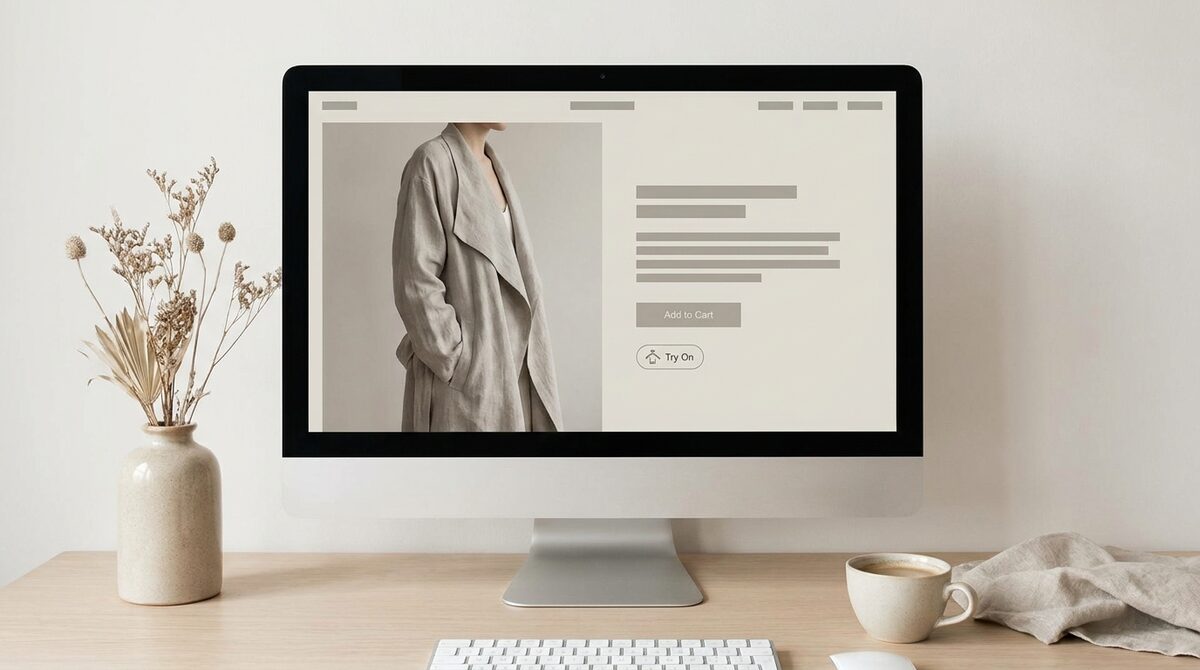
Virtual try on is AI that places a product onto a shopper’s own photo — clothes, glasses, rings, hats — so they can judge fit and look before they buy. Beyond removing doubt, a well-built try-on powers a store’s growth: it turns anonymous browsers into first-party leads, feeds funnel analytics with real intent signals, and keeps every uploaded photo zero-storage and GDPR-safe.
What virtual try on really is
Virtual try on replaces imagination with a personalised image. Instead of guessing how a jacket, a pair of glasses or a ring will suit them, the shopper uploads a photo and sees it rendered onto their own body or face. The image-based approach used by tools like 1Match works from existing product photos — no 3D scanning, no reshoot, no cartoon avatar.
This is a different thing from an AR camera filter. AR overlays a live feed and usually needs a 3D model of each product. Image-based try-on needs only a good photo of the item, which is why it scales to an entire catalogue in minutes. For the wider picture, our complete virtual try-on guide covers strategy end to end.
The categories: hands, face and body
People often assume try-on means clothing only. In reality the same engine handles three surfaces:
1. Body
Pros: Dresses, tops, jackets and full outfits render on the shopper’s frame, showing drape and proportion. Cons: Needs a reasonably full-body photo for best results. Verdict: The highest-impact category for apparel stores.
2. Face
Pros: Glasses and hats sit naturally on the shopper’s features, ideal for eyewear and headwear. Cons: Extreme angles reduce fidelity. Verdict: Excellent for accessories that live above the shoulders.
3. Hands
Pros: Rings and bracelets preview at true scale on the shopper’s hand. Cons: Fine jewellery needs sharp source images. Verdict: A quiet conversion win for jewellery merchants.
Where virtual try ons fit in the buying journey
Most stores bolt a preview onto the product page and stop there, which leaves the useful part on the table. Virtual try ons earn their keep at three separate moments, and each one is measurable.
- Before the add to cart. A shopper unsure about a cut or a colour either guesses or leaves. Removing the guess is why add-to-cart typically moves 18–28% on apparel pages.
- At the size decision. Seeing a garment on your own frame is not a measurement, but it settles the between-two-sizes hesitation that drives bracketing orders.
- After the order. The upload itself is an intent signal — a shopper who previewed three dresses told you more about their taste than any newsletter form will.
That third moment is the one most merchants miss. Standalone try it on AI tools throw the signal away; when the preview runs on your own product page, every session produces a first-party lead and a funnel event, so it stops being a widget and starts being a growth engine.
How accurate is it?
Accuracy comes down to image quality. A strong engine reproduces fabric folds, patterns and lighting so the result looks like a real photo, not a paste-up. It will not give exact measurements — that is what an honest effective size guides is for — but it removes the visual guesswork that causes most fit-related returns.
The business case
Because roughly 70% of apparel returns trace back to fit and size, a believable preview directly attacks the biggest cost centre in online fashion. Merchants typically see returns drop 25–40% and add-to-cart climb 18–28%. Our piece on try-on ROI and return rates shows how those numbers compound over a season.
Adding it to Shopify in ten minutes
Modern try-on is a widget, not a project. Install the app, switch on the button, and the tool renders from your existing images. No developer, no reshoot. If you are comparing vendors, start with the best virtual try-on apps for Shopify.
Virtual try on versus augmented reality
It is worth being precise about terms. Augmented reality overlays graphics on a live camera feed and typically needs a 3D model of every product, which is expensive to build and maintain. Image-based virtual try on, by contrast, renders onto a still photo the shopper uploads and works from your existing 2D product images. For most fashion catalogues the image-based route wins on cost, speed and realism, because there is nothing to model and the result looks photographic rather than cartoonish.
That distinction shapes what you should expect. AR filters are fun for a quick face effect, but they rarely scale to a full apparel range. Image-based virtual try on scales to your whole catalogue in about ten minutes and keeps improving as the underlying models improve — without you touching a single product page again.
Getting the most from it
Enable try-on on your highest-traffic products first, keep an accurate size guide beside the preview, and watch which items get tried most. Those signals tell you what to merchandise and restock, turning a shopper feature into an operations advantage.
It also helps to set expectations with your team. Virtual try on is a decision aid, not a replacement for every part of the shopping experience, and framing it that way avoids over-promising. Used well, it shortens the path from interest to purchase, gives hesitant shoppers the nudge they need, and turns your product pages into interactive fitting rooms. The stores that win with it treat it as core merchandising infrastructure rather than a seasonal experiment, and they revisit their catalogue photos periodically so the previews keep getting sharper as their imagery improves.
Ultimately, virtual try on is more than a preview — it is a Shopify growth engine that converts hesitation into orders, captures native leads, feeds funnel analytics and keeps shopper photos zero-storage and GDPR-safe. See it working with 1Match.
Frequently asked questions
What is virtual try on?
Virtual try on is AI-powered technology that renders a product onto a shopper’s photo so they can see it on their own body before buying. It spans apparel, eyewear, jewellery and headwear. Unlike augmented reality filters, image-based try-on works straight from existing product photos and needs no 3D asset.
What can you try on virtually?
Clothing is the biggest category, but the same technology handles hands, face and body — rings, glasses, hats and full outfits. The breadth depends on the tool; 1Match is fashion-first but covers accessories on hands and face as well as garments on the body.
Is virtual try on worth it for a Shopify store?
For apparel and accessory stores, yes. Fit uncertainty drives most returns, and a personalised preview reduces that uncertainty, typically cutting returns 25–40% and lifting add-to-cart 18–28%. Setup takes about ten minutes and uses photos you already have.
Does virtual try on need a special photo?
A clear, well-lit photo where the relevant body part is visible works best — full body for clothes, hands for rings, face for glasses. Shoppers do not need professional equipment. The AI handles ordinary phone photos, and privacy-first tools process them without storing them.
Is there a try it on AI tool that works from a single photo?
Yes. A try it on AI tool needs one clear photo of the shopper and one of the product — no 3D model and no body scan. 1Match works that way: upload the two images and the render comes back in seconds. On a Shopify store the same engine runs on every product page, so shoppers never leave to use a separate app.
 Install on Shopify